 Latest · Dubai Online
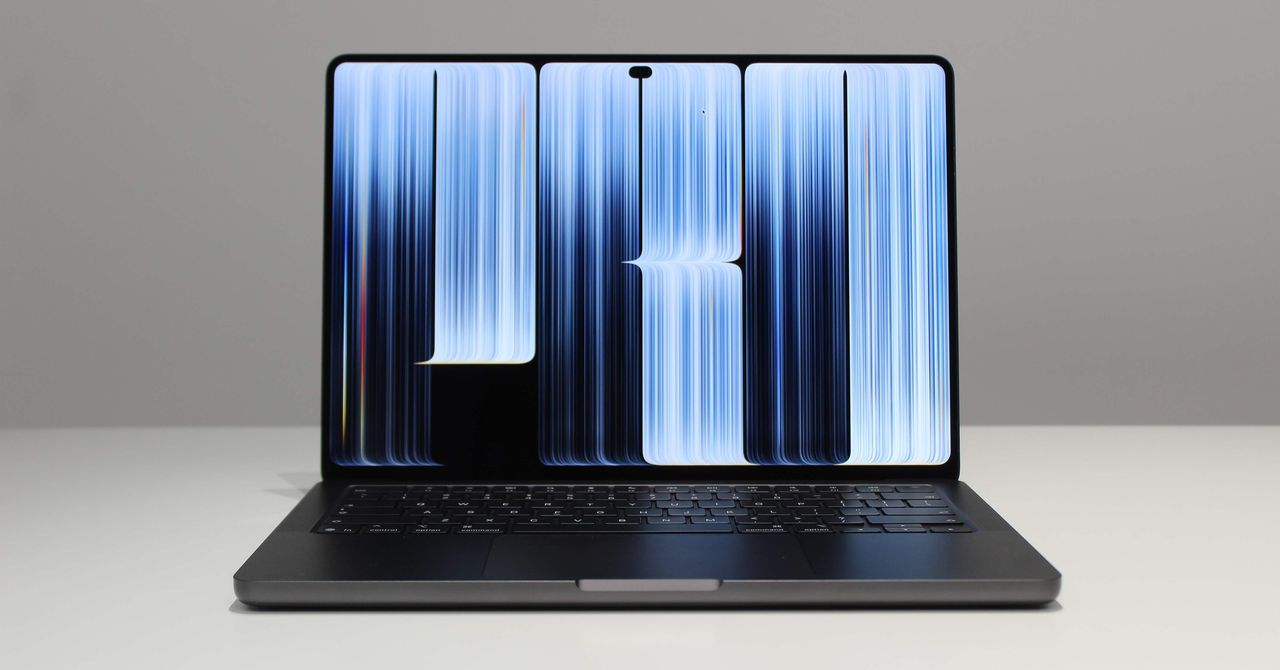
Nov 5, 2026 9:00 AM Review: Apple MacBook Pro OLED (2026) The new OLED MacBook Pro comes with an incredible-looking touchscreen display—and an equally eye-popping price. Photograph: Luke Larsen TriangleUp Buy Now Multiple Buying Options Available Rating: 8/10 The best laptop display ever made, bar none. The notch is gone!
Having a touchscreen is occasionally useful. Much lighter to carry. Somehow, even better speakers.
Glowing Apple logo returns. Touchscreen implementation feels half-baked. High price for the same performance as last year’s model.
Apple doesn’t change its mind very often. Its history is one of sticking to its guns, even when pressed on certain design or technology decisions. And yet, I’ve been working on a MacBook Pro with a touchscreen for the past few days—a device I never thought would come into being.
Ignoring the (very reasonable) arguments about the poor ergonomics of touchscreen laptops made in the past, Apple has brought such a display to the MacBook Pro in the most un-Apple way I could have imagined. I’m not sure why it’s here, but it is. I do know, though, that I love the new “PROLED XDR” screen.
Combine that with a hole-punch cutout for the webcam and the return of the light-up Apple logo on the lid—and it's enough improvements to call this a big upgrade over the rest of the MacBook lineup . But compared to a similarly specced MacBook Pro from a year ago, the OLED model costs almost $1,000 more by comparison. Small Touches Add Up Photograph: Luke Larsen With the arrival of the OLED MacBook Pro, Apple now offers two flavors of its flagship premium laptop.
The standard Mini-LED option now comes with the M6 processor with improved graphics and battery life, but otherwise looks largely the same as before. The OLED MacBook Pro, however, is the biggest change since 2021. You won’t notice it immediately on the outside.
Color options are still just Silver and Space Black. You still have a choice between 14- and 16-inch. Ports are the same.
Open it up, and you’ll see the familiar keyboard and trackpad. It’s all there as you’d expect. The only visual indication that you’re using something different is the glowing Apple logo on the lid.
As a feature only available in the very expensive OLED MacBook Pro, it’s a pure, unabashed status symbol. And I love it. It even matches the display’s brightness, so it doesn’t distract in a dark room.
Another discernible difference in the OLED MacBook Pro is something you’ll notice with your hands rather than your eyes. The 16-inch model I tested now weighs just 4 pounds, well over half a pound lighter than the non-OLED equivalent. Most of the weight savings come from OLED, which uses much thinner, lighter layers (more on OLED later).
This is a very large laptop, but the weight reduction makes it much easier to carry around in a bag. Photograph: Luke Larsen And the notch is gone! No Apple design feature has bothered me more than this large cutout at the top of the screen, which houses the webcam and sensors (it remains in the non-OLED model).
The punch-hole camera is a huge improvement. As someone who found the notch a complete eyesore since it was introduced, this might be the change I’ve been most excited about. Like on newer iPhones, the MacBook Pro is also getting Dynamic Island, which makes the punch-hole camera more useful.
It can show interactive Live Activities, such as timers or currently-playing music. I imagine it won’t be used too often, though it does its job by hiding the punch-hole and showing off those narrow bezels. There are some subtler tweaks.
The rubber feet on the bottom have softer, rounded edges. The bezels around the screen are slightly smaller. Even Brighter OLED It’s been over two years since Apple first brought its tandem OLED displays to the iPad Pro.
In that time, MacBook Pro users have been patiently using the same Mini-LED display. Nevertheless, the OLED MacBook Pro has finally arrived, and Apple has pushed the tandem OLED panel further than ever before. This is the brightest laptop display I’ve ever tested, capable of reaching up to 1,000 nits in SDR.
That’s on everyday content throughout the operating system and across all apps. The screen can, however, crank out 2,000 nits of brightness—but only in specific circumstances. Photograph: Luke Larsen For example, under very bright light or outdoors, the ambient light sensor built into the webcam module will detect those conditions and tune the display beyond the 1,000-nit upper limit.
Combine that with the optional nano-texture screen, and you have what is undoubtedly the best laptop for working outside. That’s especially impressive considering glare is a big problem with typical OLED laptop screens. (You’ll need to turn on the “Automatically adjust brightness” setting, which I typically don’t.) Apple sent me the OLED with standard glass for testing, which comes with an anti-reflective coating that the company calls “ground-breaking." Next to the non-OLED M6 MacBook Pro, it looks about as reflective. If you really want to use this thing outside, the nano-texture upgrade is well worth it.
HDR content is the second situation in which the screen can be cranked up to 2,000 nits of peak brightness. Here, the idea isn’t to blast your eyes with brightness; it’s about details. In HDR-rendered photos, videos, movies, and games, 2,000 nits would be bright enough to deliver incredible depth of detail and color.
I’ve never seen HDR like this on a laptop, and you really have to experience it to truly get it . In my HDR testing, my OLED MacBook Pro never quite reached 2,000 nits, maxing out at 1,849 nits. But amazingly, it can even produce this in a 25 percent window, and 1,025 nits with every pixel lit up.
The only place you’ll find brighter OLED is in the very latest OLED TVs . Now, this is actually only 12 percent brighter than the Mini-LED MacBook Pro, which I retested to make this comparison. But when you pair a brighter OLED screen with the deep blacks it can produce, you have absolutely stellar HDR, giving the content a range of depth never before seen on a laptop.
I watched a number of professional HDR footage, side-by-side with the Mini-LED MacBook Pro. That difference is very noticeable. Is it something only TV nerds and videographers will care about?
Maybe. The Mini-LED MacBook Pro is already a great laptop for watching movies on. All I can say is the OLED model is noticeably better.
And for those who work professionally with HDR footage, this should open up new possibilities. My hope is that, as these HDR-capable devices proliferate, we’ll see more HDR video produced—even just for the web. The speakers also make the OLED MacBook Pro an ever better movie-watching device.
Apple says the six-speaker sound system has “50 percent deeper bass.” That’s hard to measure, but like the screen, you notice a difference when you compare it side-by-side with the previous-gen model. The bass really does stand out more, giving you a fuller sound both for music-listening and movie-watching. And just to be clear: Apple already had the best speakers in the game.
Like an iPad Photograph: Luke Larsen In the time I’ve had with the touchscreen MacBook Pro so far, I tried to remind myself of its new powers. But when I’m deep in work, I completely forget the touchscreen. It just has no place in my workflows.
That doesn’t mean it’s not ever useful, though. Sometimes, swiping away a notification with a finger feels intuitive. Or if you’re lounging on the couch and use your thumb to scroll through your Instagram feed as you would on an iPad, it works.
But those times are few and far between. I’m certainly not going to be poking three fingers up at the screen to swipe between Spaces when I could do that on a trackpad without even lifting my hand. I’ve noticed the same tendency when I use an iPad Air or iPad Pro connected to the Magic Keyboard.
It’s just easier and faster to keep your hands where they are. The difference here on the MacBook Pro is the software. The interface doesn’t exactly draw you in to touch it.
Everything that could click you can now touch, but tapping tiny icons and controls with your finger feels clumsy, as it always has. It’s the same problem in Windows 11. To be fair, Apple has put in more effort than Microsoft ever has, tweaking macOS to optimize for touch—not unlike iPadOS.
One of my favorite optimizations happens when you tap on the window controls (the three buttons to close, minimize, or fullscreen). After you tap, it pops out and lets you select one of the three more precisely. The drop-downs in the menu bar are also more spaced out, and you can tap and drag your finger to select options more easily.
These visual touches are handy, and some of Apple’s apps have found ways to make certain tasks touch-based. Photograph: Luke Larsen I admit I don’t benefit much from a touchscreen laptop, but Apple also hasn’t made any hardware changes to make touching the screen feel more natural. Would Apple ever put a 180- or 360-degree hinge on a MacBook?
I would have thought no—then again, I never thought a MacBook would have a touchscreen in the first place. Not even the Apple Pencil is supported here (not that it would ever be comfortable to use at an angle). The bigger problem is that third-party apps have to optimize for touch.
Even though click-to-touch will work in all apps right out of the box, not all developers will put in the effort. Also, I’ve noticed some apps translated through Rosetta (which lets Intel-based software run on Apple silicon, such as Steam) don’t support some features, like the zoom-in window controls. I can’t see myself adjusting my behavior when you can’t reliably expect consistency across these apps.
Apple has been selling the OLED MacBook Pro’s touch capabilities to creative pros—the kind of user who would use this laptop. The ideas are mildly interesting, whether it’s drawing directly on the screen with Pixelmator Pro or applying brush textures onto 3D models in ZBrush. I’m not an artist, but I use Logic Pro.
You can now touch the screen to play drums right on the screen, or draw automations into Remix FX. But that’s where I started to think these are more gimmicks than real features creatives will actually benefit from. Even amateur musicians will always have a physical MIDI keyboard, and playing musical instruments on the laptop keyboard (a Logic feature that’s been around forever) feels more natural than tapping the screen.
I’ll wait for Adobe to prove me wrong. Here’s the thing: In all my discussions with Apple about the touchscreen, I never got the impression that touch was supposed to replace the keyboard and trackpad as the primary input method. That’s a safe, smart play if the goal is to not rock the boat too much.
For so many years, Apple sat back and watched Microsoft fumble its own touch implementation through the disaster that was Windows 8. It’s certainly true that in today’s world, it feels strange that you can’t control a MacBook screen with your fingers. As someone with kids, my MacBook is safe from their fingerprints.
This feels more like a “catch-up” feature we’ve long been without, but I hope Apple commits more to touch and engineers a more unique way to integrate it. The Same M5 Max The 2026 OLED MacBook Pro uses the same chips as the previous generation: the M5 Pro and M5 Max. This is the first time Apple has done this since introducing Apple Silicon in 2020.
Each new version of any Mac has always come with an updated chip. Either Apple’s pace is slowing down, or the company thinks the OLED touchscreen will be a strong enough draw to convince buyers to refresh. To be fair, the M5 Max and M5 Pro were already at the top of their game.
Even compared to new Nvidia RTX Spark laptops like the Microsoft Surface Laptop Ultra, the M5 Max dominates in overall power. Time to rest on their laurels, I suppose. Rumor has it that Apple will skip the M6 Pro and M6 Max altogether, saving those more powerful configurations for the M7 generation.
Again, that would be a first for Apple Silicon since its introduction. On the other hand, Apple claims the OLED MacBook Pro internals have been completely redesigned to support the PROLED XDR display. The goal is performance parity with the non-OLED M5 Pro and M5 Max MacBook Pro—nothing more.
And in my testing, that’s precisely what I saw. Scores were very similar to the previous-gen MacBook Pro in Cinebench 2026, as well as in the games I tested. I won’t go too in-depth here—check out my review of the previous M5 Max MacBook Pro if you want more performance analysis.
Photograph: Luke Larsen If you already own an M5 Pro or M5 Max MacBook Pro, it’s very difficult to justify upgrading to the OLED version, even if you’re able to sell it for a decent price. Unless you have a specific use case for the OLED display, I can see many people wanting to wait until next year for the performance upgrade. On the flip side, if you want to upgrade from an M1 Max or M2 Max, you face a tricky decision between the OLED and non-OLED MacBook Pro.
For now, Apple is still selling both models in its lineup . The OLED model costs $400 more, which is steep for a display upgrade. This is on top of the price increase from earlier this year, which already added an extra $500 to the M5 Max MacBook Pro.
The 14-inch OLED MacBook Pro starts at $2,899, while its 16-inch sibling starts at $3,399—startling pricing to be sure. For my review, Apple sent me a souped-up 16-inch model with the M5 Max with an 18-core CPU and 32-core GPU, a standard glass OLED (nano-texture is an optional $150), 128 GB of unified memory, and 2 TB of storage. This configuration costs $7,399, and it’s not even the most expensive!
There’s little hope prices will come down anytime soon, as the memory shortage continues to tighten. If the OLED touchscreen is what draws you to these devices, the 14-inch M5 Pro is the way to go. Just know that you’re leaving a decent amount of performance on the table by not choosing the M5 Max.
Luke Larsen is a product writer and reviewer at WIRED, covering laptops, PCs, Macs, monitors, and the wider PC peripheral ecosystem. He’s been reporting on tech for over a decade, previously at Digital Trends as the senior editor in computing, where he spent seven years leading the publication’s daily coverage. ... Read More
Source: WIRED